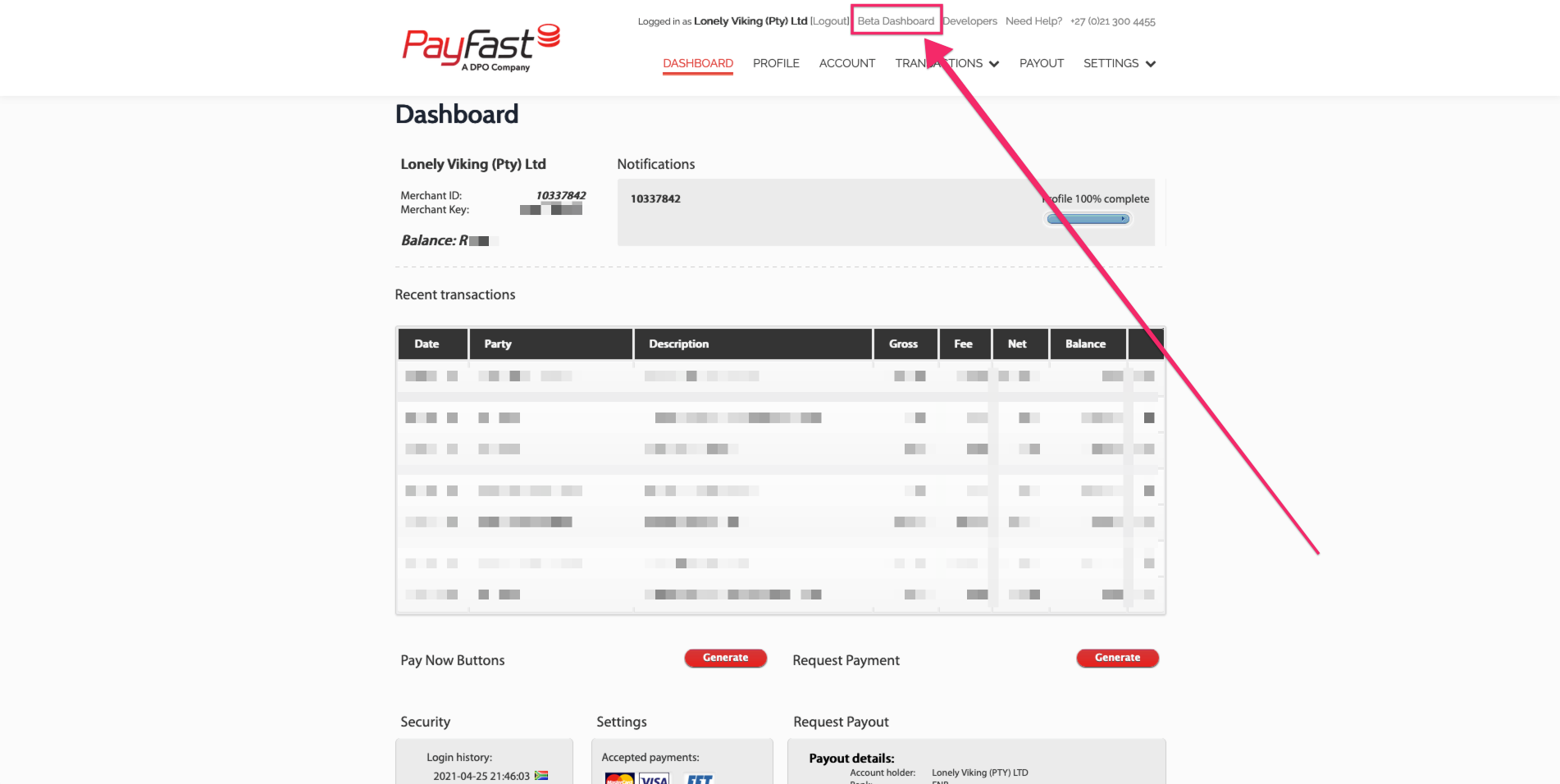
1.
PayFast's new dashboard is way better so click on 'Beta Dashboard' if you aren't there already
[](https://wiki.lonelyviking.com/uploads/images/gallery/2021-05/payfast-1.png)
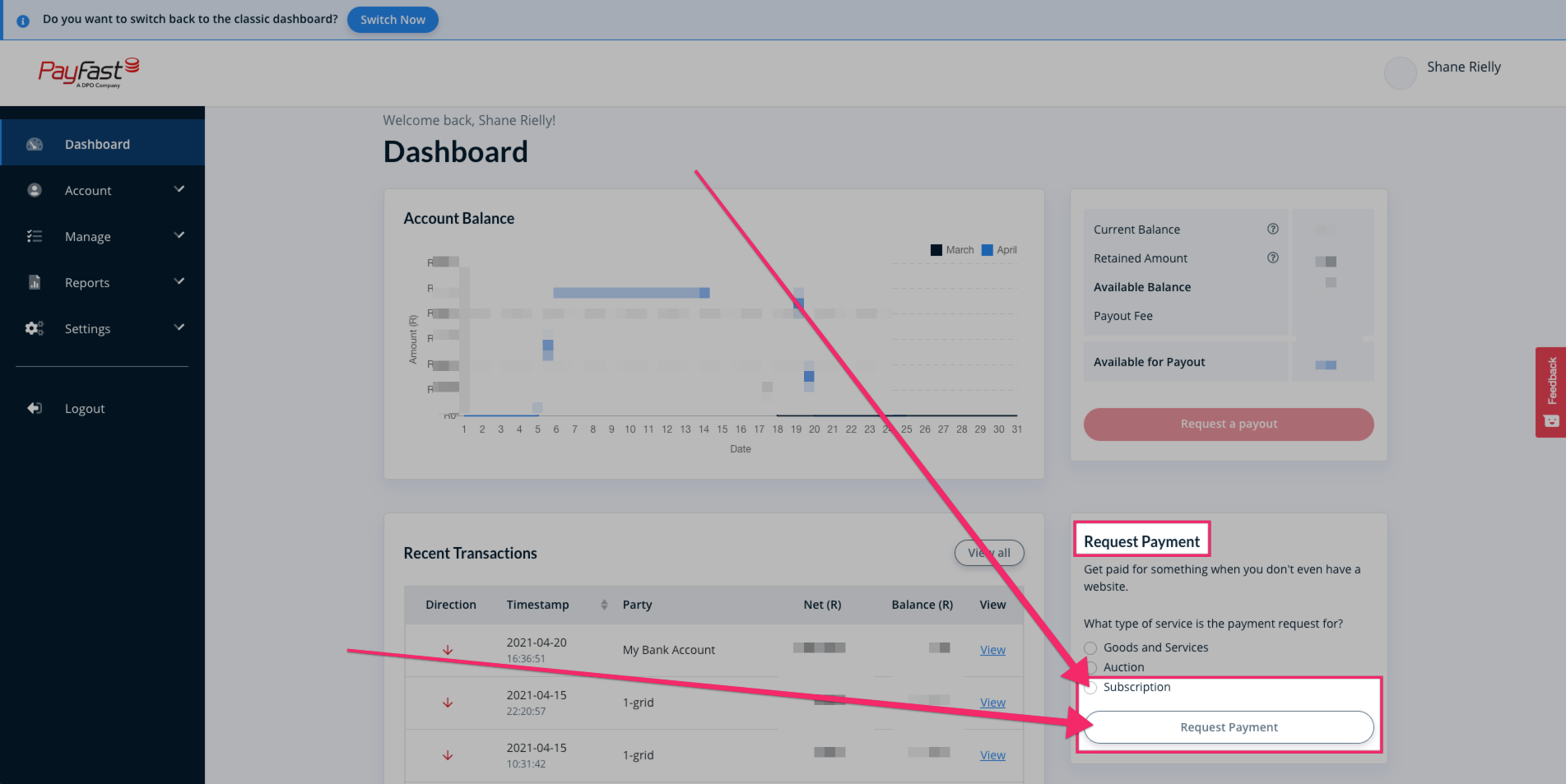
2. On the dashboard, select the 'Request Payment' option at the bottom-right of the page
[](https://wiki.lonelyviking.com/uploads/images/gallery/2021-05/payfast-2.png)
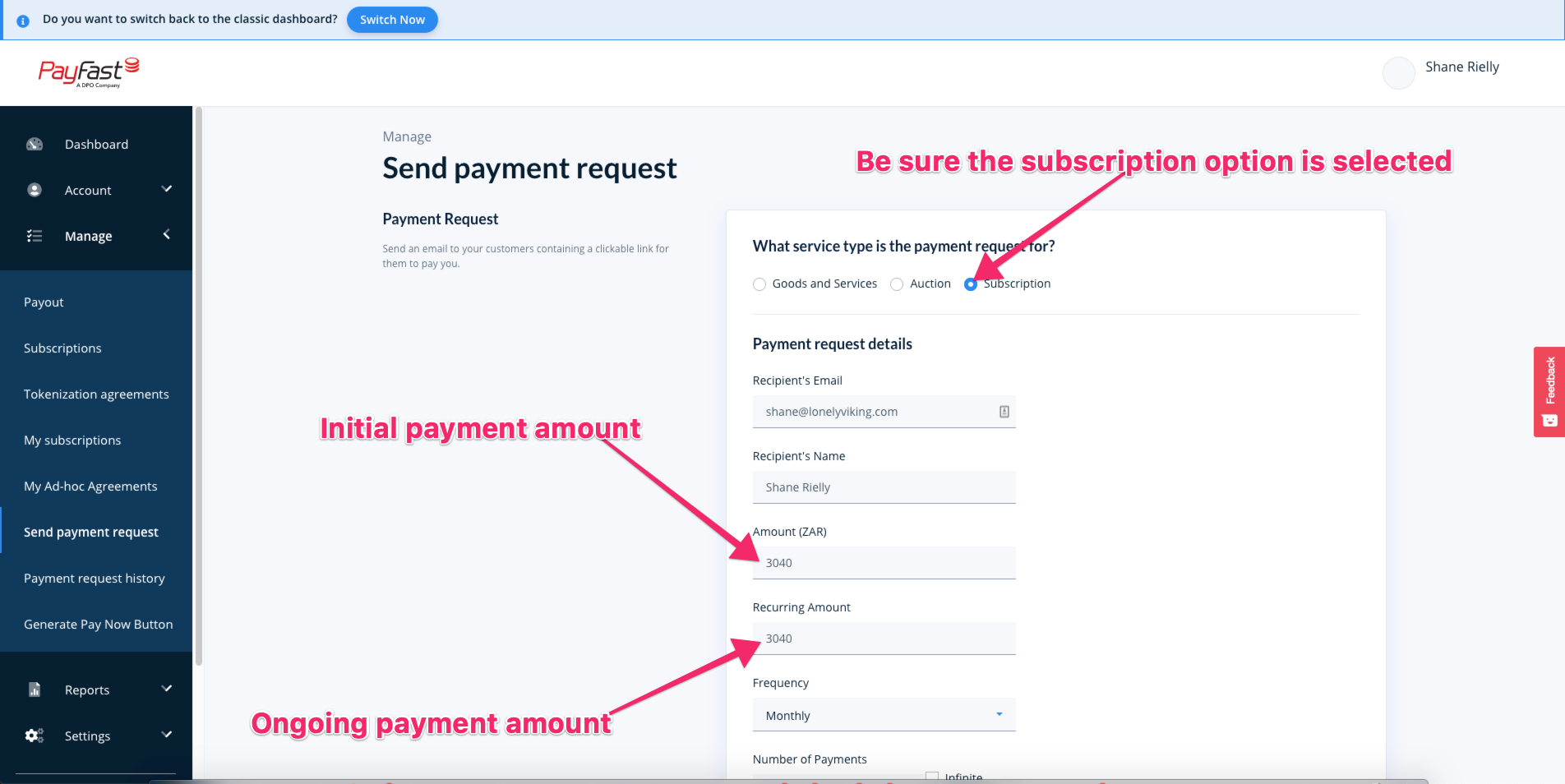
3. Fill in the details for the subscription in question
[](https://wiki.lonelyviking.com/uploads/images/gallery/2021-05/payfast-3.png)
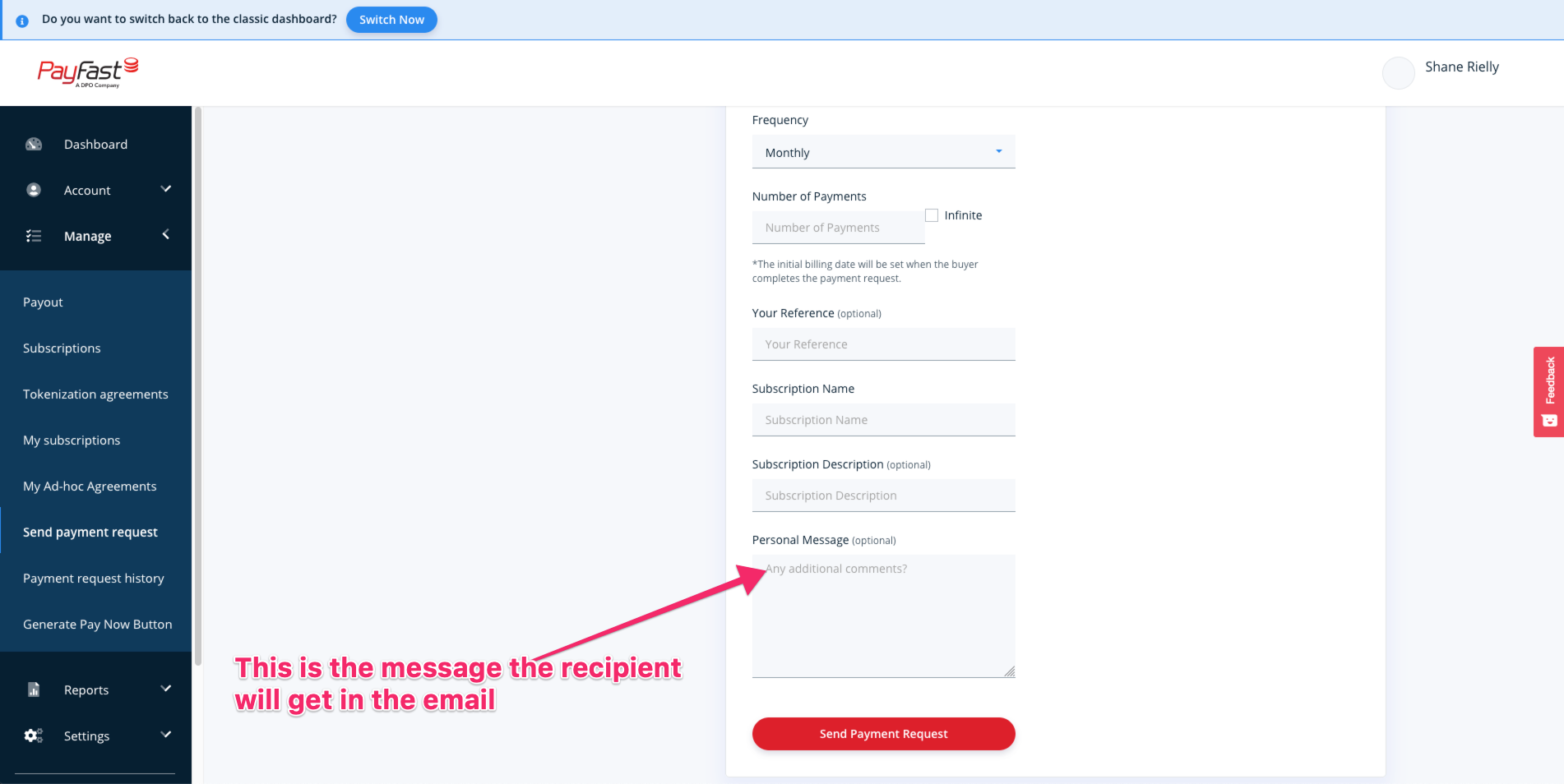
4. Give the Subscription a meaningful name and write a personal message for the member if you want to (probably best to have a predefined message that you can copy/paste each time)
[](https://wiki.lonelyviking.com/uploads/images/gallery/2021-05/payfast-4.png)
5. Click send to send the subscription request to the member
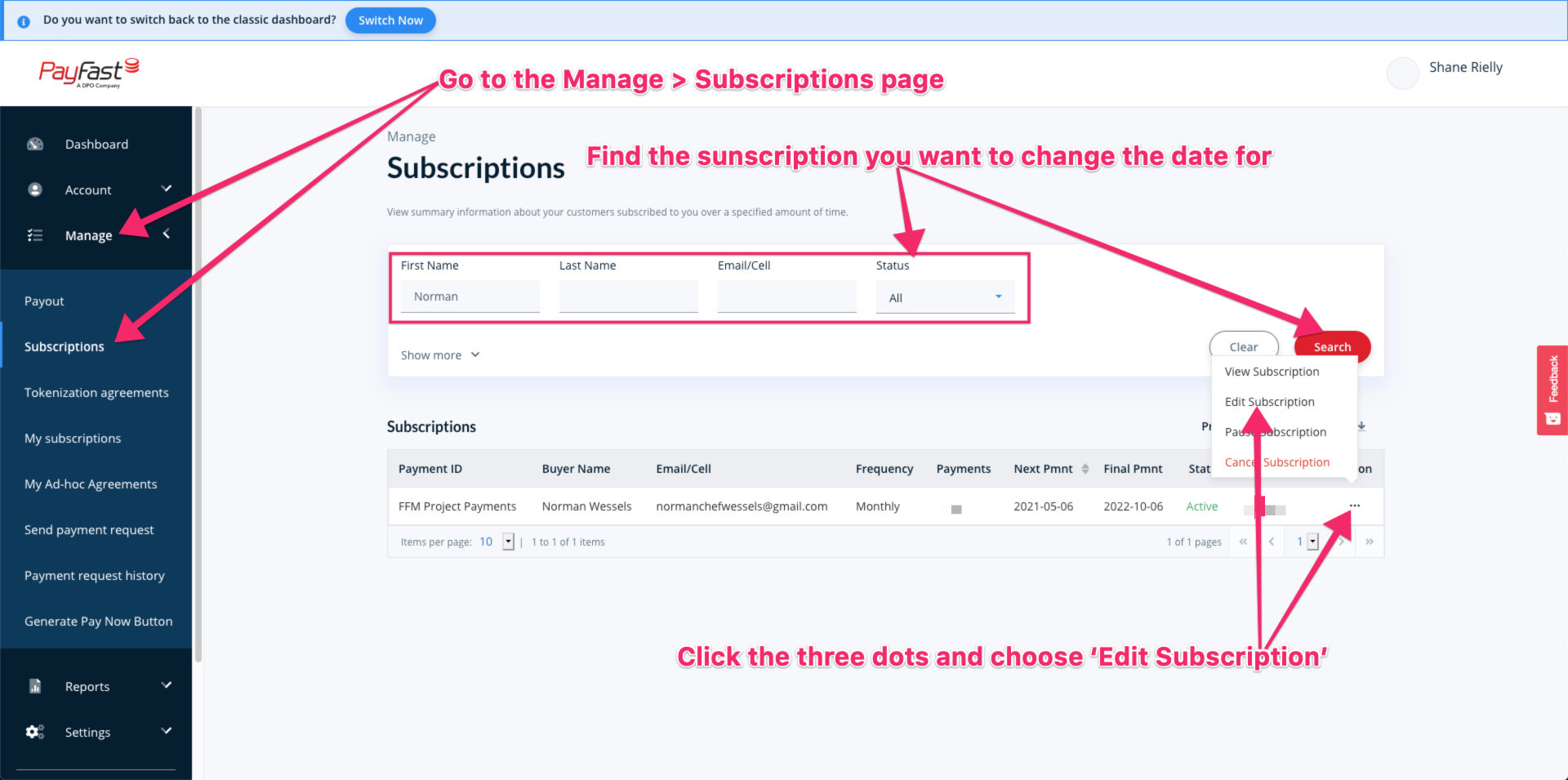
**How to update the subscription date**
1. Go to the Manage Subscriptions page and find the sub you want to edit the date for
[](https://wiki.lonelyviking.com/uploads/images/gallery/2021-05/payfast-5.png)
2. Edit the date on the popup that comes up[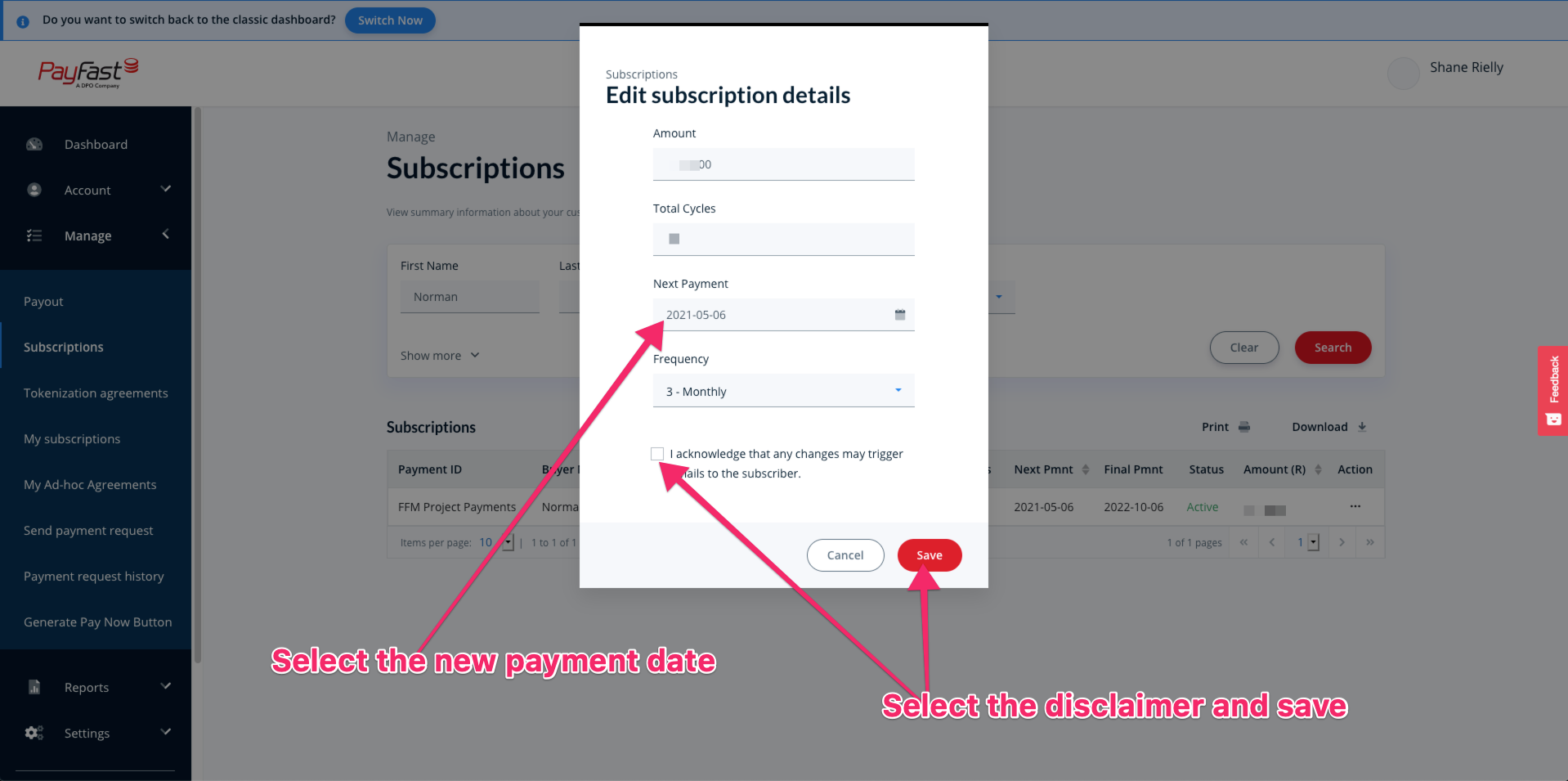](https://wiki.lonelyviking.com/uploads/images/gallery/2021-05/payfast-6.png)